


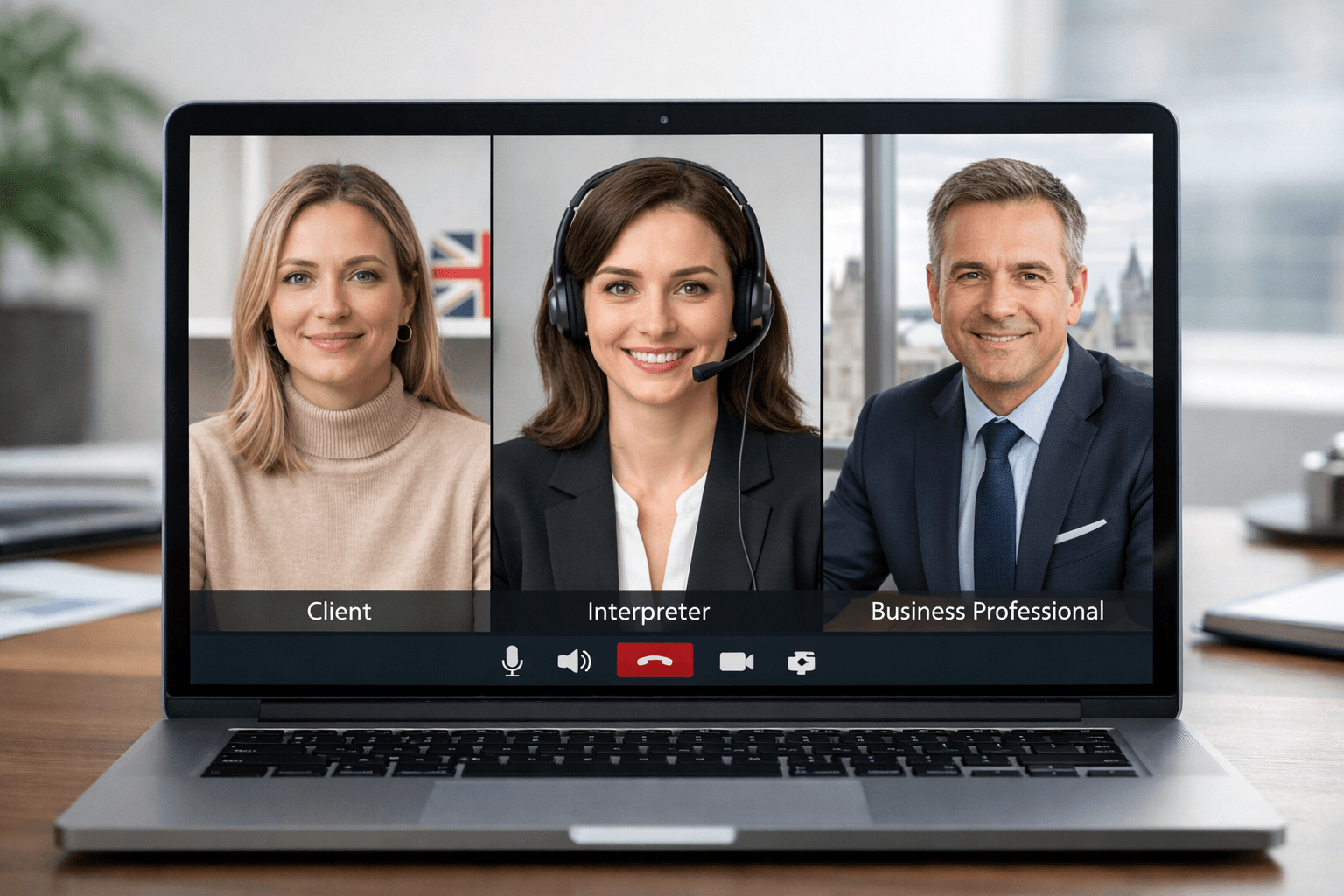
A smooth remote session is rarely about the video platform alone. It usually comes down to three things working together at once: the right interpreter, the right setup, and the right meeting habits. When even one of those is missing, delays, misunderstandings, and frustration creep in fast.
That is why video interpreting works so well when it is planned properly. It gives everyone more than audio alone can offer: facial expressions, gestures, visual context, and a stronger sense of human connection. For medical consultations, legal meetings, HR conversations, social care appointments, customer support, and multilingual business calls, that extra layer can make the difference between a conversation that merely happens and one that actually lands.
If you already know you need a qualified video interpreter for an upcoming appointment, meeting, or hearing, the fastest next step is to request a quote. For everyone else, this guide will help you choose the right format, prepare properly, and avoid the small mistakes that cause remote interpreted sessions to go wrong.
What is video remote interpreting (VRI) and how does it work?
Video remote interpreting, often shortened to VRI, is a live interpreting service delivered through a video call. It allows people who do not share the same spoken or signed language to communicate in real time with the support of a qualified interpreter who joins remotely by secure video platform.
In simple terms, video remote interpreting works by placing the interpreter on screen rather than in the room. The participants speak or sign naturally, and the interpreter listens, watches, and relays meaning between them as the conversation happens. Because everyone can see one another, video remote interpreting preserves facial expression, body language, turn-taking, and visual context in a way that phone-only interpreting cannot.
Video remote interpreting is commonly used for:
- medical appointments
- legal meetings
- HR conversations
- customer support
- public-service access
- business meetings
- British Sign Language and other sign language sessions
- any conversation where visual cues improve clarity
Many people use the terms video interpreting, remote video interpreting, and video remote interpreting interchangeably. In practice, they all describe interpreting delivered through live video. In some contexts, VRI is used more specifically when the interpreter is remote and the main participants are together in one location, but the broader meaning is the same: interpretation delivered live over video.
How video remote interpreting works step by step
A typical video remote interpreting session works like this:
- A meeting is arranged on a video platform such as Zoom, Teams, Meet, or another secure system.
- The client, professional, organisation, or service provider books an interpreter for the required language, dialect, or sign language.
- The interpreter joins the session remotely at the scheduled time.
- The participants speak or sign directly to one another, not to the interpreter.
- The interpreter listens and watches carefully, then interprets each message accurately in real time.
- If needed, the interpreter may ask for repetition, clarification, or a slower pace to protect accuracy.
- If documents, forms, charts, or on-screen materials are involved, the interpreter can use the visual context to support clearer communication.
- If the connection fails, the session follows a backup plan such as reconnecting or moving temporarily to a phone line.
For spoken-language interpreting, the interpreter hears one language and delivers the message in another language. For sign-language interpreting, the interpreter may sign what a hearing participant says and voice what a Deaf participant signs. That is why clear camera framing, strong lighting, and reliable audio matter so much in video remote interpreting.
Video remote interpreting vs video relay service (VRS)
Video remote interpreting is not exactly the same as video relay service, even though both use video and an interpreter.
Video remote interpreting (VRI) is usually used for meetings, appointments, consultations, and service interactions where the interpreter joins remotely by video to help people communicate live.
Video relay service (VRS) is generally used to help a Deaf signer communicate with a hearing person over a telephone network, with the interpreter relaying between video signing and spoken phone audio.
In short:
- VRI supports a live meeting or appointment by video
- VRS supports a phone call by connecting video signing to voice telephony
That distinction matters because users often search for one service while meaning the other.
What video interpreting actually is
Video interpreting connects the participants and the interpreter through a live video platform so each person can see and hear the conversation in real time. In practice, it sits between face-to-face interpreting and phone interpreter services.
It is often the strongest option when:
- visual cues affect meaning
- the conversation is sensitive or complex
- the participants need to build trust quickly
- the interpreter needs to see a form, reaction, gesture, or on-screen material
- British Sign Language or another sign language is involved
- an on-site interpreter is not practical but audio-only support is not enough
A good video interpreter does more than convert words. They help preserve meaning, tone, intent, pacing, and clarity while keeping the session professional and neutral.
When video interpreting is the right choice — and when it is not
Video interpreting is excellent, but it is not automatically the best option for every interaction. The smartest approach is to choose the format that fits the situation, not force the situation into the format. Current best-practice guidance across interpreting providers and professional bodies points in the same direction: use video when visual communication adds value, use phone when speed and simplicity matter most, and move to on-site support when privacy, complexity, or technical conditions make remote work unreliable. (languageline.com)
| Format | Best for | Main strengths | Main watch-outs |
| Video interpreting | Medical appointments, legal meetings, HR conversations, public-service access, sign language, sensitive discussions | Visual cues, stronger rapport, better context, easier document-sharing | Needs stable internet, strong audio, good camera framing |
| Phone interpreter services | Urgent calls, appointment booking, short customer-service interactions, simple updates | Fastest to access, low-tech, efficient for brief calls | No visual cues, harder to manage group conversations |
| On-site interpreting | High-stakes hearings, long meetings, emotionally charged cases, highly interactive sessions | Full context, stronger room control, ideal for complex dynamics | More planning, travel time, higher logistics burden |
Choose video interpreting when:
- the topic is important and nuance matters
- body language, facial expression, or visual demonstration helps understanding
- the session involves a screen share, form, chart, or image
- a Deaf participant needs sign language access
- you want more connection than phone interpreter services can offer
Choose phone interpreter services when:
- the conversation is brief and urgent
- the issue is straightforward
- visual information is not essential
- one participant has weak internet or cannot appear on camera
- you need immediate language support for triage or scheduling
Choose on-site interpreting when:
- the internet or platform cannot be trusted
- there are many speakers in one room
- the discussion is highly emotional, lengthy, or procedurally complex
- the setting requires stronger physical presence and room control
The real formula for a smooth remote session
The easiest way to think about successful video interpreting is this:
- Get the right interpreter
- Get the setup right
- Run the conversation properly
Most failed sessions can be traced back to one of those three.
1) Get the right interpreter for the actual job
The biggest mistake is booking “a language” instead of booking the right language support.
Before the session, confirm:
- language and dialect
- subject matter
- whether the session is spoken-language interpreting or sign-language interpreting
- whether the meeting is scheduled, urgent, or likely to run over time
- whether the client has a gender preference for the interpreter
- whether there are confidentiality or safeguarding concerns
- whether the interpreter needs to see documents in advance
This matters because a video interpreter for a GP consultation is not the same as one for a disciplinary meeting, witness interview, safeguarding discussion, or commercial negotiation.
Brief the interpreter before the session starts
Even a strong interpreter works better with context. Send a short briefing that includes:
- the purpose of the meeting
- who will attend
- any technical terms, acronyms, or names
- copies of forms, agendas, or slides
- whether the session will be recorded
- who should lead introductions
- whether there is a backup phone line if the video fails
A five-minute briefing can save twenty minutes of interruption later.
2) Get the technical setup right

Remote interpreting is only as good as the weakest device, microphone, or internet connection in the room. Guidance for remote interpreting consistently emphasises stable connectivity, clear audio capture, tested platforms, proper lighting, and a private, distraction-free environment. For some official remote video assignments in the UK, mobile phones are not considered appropriate primary devices at all. (National Deaf Center)
The minimum setup for good video interpreting
At a minimum, you want:
- a laptop or desktop if possible
- a stable internet connection
- a camera positioned at eye level
- strong front lighting, not a bright window behind the speaker
- a headset or clear external microphone
- a quiet room with minimal echo
- the platform tested in advance
- a second contact method in case the call drops
Camera and room setup tips that make a real difference
A few small adjustments can dramatically improve the session:
- frame the main speaker from the chest up
- keep the face fully visible
- avoid walking around while speaking
- do not place the camera too far away
- mute notifications
- close unrelated tabs and apps
- if multiple people are present, seat them so the interpreter can identify who is speaking
If you are using video interpreting for a clinic, office, or reception desk, think about the room from the interpreter’s point of view. Can they see the speaker clearly? Can they hear every voice? Can they follow a hand gesture toward a form or screen?
Test the platform before the meeting
Whether you use Zoom, Teams, Meet, or another secure platform, test:
- camera access
- microphone access
- screen sharing
- waiting room or lobby settings
- breakout room behaviour
- whether the interpreter can be pinned or spotlighted
- whether captions or recordings are switched on
Do not discover platform problems in front of the client.
3) Run the session properly
Even with the best interpreter and best setup, the session can still fall apart if the conversation is handled badly.
Start with a proper opening
The host should begin with a short orientation:
- introduce everyone
- confirm the language
- explain the interpreter’s role
- state whether the session is confidential
- confirm whether the meeting is being recorded
- tell participants to speak one at a time
A calm opening sets the tone and reduces cross-talk immediately.
Speak in short, complete thoughts
Do not speak for two minutes and expect perfect interpretation at the end.
Better practice:
- one speaker at a time
- shorter segments
- natural pauses
- plain language where possible
- avoid overlapping speech
- identify yourself before speaking in larger meetings
This is one of the most overlooked reasons remote sessions feel chaotic.
Look at the person you are speaking to
Do not talk to the interpreter as if they are the decision-maker. Speak directly to the patient, client, employee, or customer.
Say:
- “Can you tell me when the symptoms started?”
- “Do you have any questions about the contract?”
- “Please let me know if this policy is unclear.”
Not:
- “Ask her when the symptoms started.”
- “Tell him the policy applies from Monday.”
That small shift makes the conversation more respectful and more natural.
Let the interpreter do their job
A professional interpreter may need to:
- ask for repetition
- ask for clarification
- request slower pacing
- stop the conversation briefly to manage accuracy
- explain that two people are speaking at once
That is not disruption. That is quality control.
A 90-second pre-session checklist
Use this just before the call begins.
Language check
- Correct language and dialect confirmed
- Right mode confirmed: spoken or sign language
- Specialist context confirmed: legal, medical, HR, business, community
Tech check
- Camera on and framed properly
- Audio tested
- Internet stable
- Screen share ready
- Backup phone number available
Environment check
- Door closed
- Background noise reduced
- Sensitive papers removed from view
- Participants seated and visible
Session check
- Documents open and ready
- Host knows how to introduce the call
- Everyone understands one-speaker-at-a-time rules
Common reasons video interpreting sessions go wrong
Here is where remote sessions usually break down.
1. The wrong format was chosen
Some conversations only sound like a fit for video. In reality, they may be better on-site or by phone.
Example: a short appointment reminder call does not need video. A detailed discharge discussion probably does.
2. The audio is poor
People forgive imperfect video. They do not forgive muffled, echoing, or intermittent sound.
3. No one briefed the interpreter
The session then spends the first ten minutes explaining what should have been shared beforehand.
4. Participants interrupt constantly
Remote interpreting cannot work smoothly if three people speak over each other.
5. The room is not private
This is especially risky in healthcare, legal, HR, and safeguarding settings.
6. There is no fallback plan
If the platform fails and nobody knows what happens next, momentum disappears instantly.
What to do if the connection drops
Have a backup plan before the session starts.
A simple one works best:
- Pause the conversation
- Reconnect on the same platform
- If that fails, move to the backup phone line
- Reschedule only if the conversation can no longer be handled safely or accurately
The key is not to improvise under pressure.
Where video interpreting works especially well
Healthcare and telehealth
Video interpreting is often a strong fit for telehealth, consultations, follow-up discussions, medication reviews, and appointments where visual understanding improves safety and trust. In the UK, NHS guidance on accessible communication and community language support makes clear that communication support is part of effective care, not an optional extra, and commissioning routes for interpreting can vary by local NHS structures. (NHS England)
It works particularly well when:
- symptoms are being described visually
- the clinician needs to observe reactions
- documents or instructions are shown on screen
- the discussion is sensitive but does not require physical presence
If your organisation handles patient-facing work, this guide on how to access translation and interpreting services is a useful companion resource.
Legal and court-related meetings
Video interpreting can work well for client updates, solicitor meetings, case preparation, intake interviews, and some remote hearings where permitted.
It is less ideal when:
- several speakers interrupt one another
- the evidence is document-heavy and not shared in advance
- the hearing is highly sensitive or emotionally charged
- the platform, security, or room setup is weak
HR, business, and public services
For onboarding, grievance meetings, policy briefings, training sessions, service access, and multilingual customer conversations, video often strikes the right balance between speed and clarity. UK public-sector language service frameworks now explicitly include remote interpreting options such as telephone and video interpreting, alongside visual interpreting support. (gca.gov.uk)
How to choose a video interpreting provider
A smooth remote session starts long before the call. It starts with the provider.
Ask these questions before you book:
Do you provide specialist interpreters?
A medical session, legal meeting, and business negotiation do not carry the same vocabulary or pressure.
Can you support both scheduled and urgent sessions?
You may need one provider for planned meetings and another for last-minute demand. The best partners can handle both.
What platforms do you work with?
You want flexibility, not a provider who only works one way.
What happens if the session overruns or the connection fails?
A strong provider has a process, not an apology.
How do you handle confidentiality and secure workflows?
This matters in every setting, but especially in health, legal, finance, and HR.
Can you support the next step after the call?
Sometimes the conversation is only part one. You may also need transcription services for recorded meetings or certified translation services for forms, statements, or supporting documents after the session.
For organisations and individuals who need a practical, responsive option, UK Certified Translation already offers interpreting services for legal, medical, business, community, and remote settings, alongside transcription and document services if the work continues after the meeting. If you want the team to review your requirements and recommend the right format, contact UK Certified Translation here.
“They joined my Zoom call right on time and helped me understand everything clearly.” — Daniel K., Patient

A simple booking brief you can copy
If you are arranging video interpreting, send something like this:
Subject: Video interpreter request for scheduled meeting
Message:
We need a video interpreter for a remote session on [DATE] at [TIME].
Language/dialect: [LANGUAGE]
Setting: [medical / legal / HR / business / public service]
Expected duration: [X minutes]
Platform: [Zoom / Teams / Meet / other]
Participants: [number + roles]
Documents to review: [yes/no]
Special requirements: [same-gender interpreter / confidentiality / sign language / urgent]
Backup contact number: [NUMBER]
That one email avoids most preventable confusion.
After the session: what good teams do next
The best sessions do not end when the call ends.
After the meeting:
- send a short written summary where appropriate
- confirm next actions and deadlines
- note any preferred language, dialect, or interpreter preferences for next time
- store the meeting details securely
- arrange follow-up translation or transcription if needed
This is where remote language support becomes a process rather than a one-off fix.
If the session produced recordings, witness statements, training footage, or meeting notes, transcription services can help create a usable written record. If those records must be submitted to an authority, court, employer, or institution, certified translation services may be the right next step.
The bottom line
Video interpreting is not simply “phone, but with cameras on.” It is a distinct service with its own strengths, risks, and best practices.
When done properly, it gives you:
- faster access than on-site interpreting
- more context than phone interpreter services
- clearer, more human communication in moments that matter
When done badly, it creates the illusion of access without the quality.
So if you want a smooth remote session, focus on the three things that matter most:
- the right interpreter
- the right setup
- the right session habits
And if you want help choosing the right format for your next appointment, meeting, hearing, or business call, the simplest next move is to get a quote and let the team match the request properly from the start.
FAQs
What is video remote interpreting (VRI)?
Video remote interpreting, or VRI, is a live interpreting service delivered through video. A qualified interpreter joins remotely on screen and helps participants communicate in real time when they do not share the same spoken or signed language.
How does video remote interpreting work?
Video remote interpreting works through a live video platform. The participants and interpreter join the call, the participants speak or sign directly to one another, and the interpreter relays meaning between them in real time. Because the session is visual as well as verbal, the interpreter can use facial expressions, gestures, and on-screen context to improve clarity.
Is video remote interpreting the same as video relay service (VRS)?
No. Video remote interpreting is used for live meetings, appointments, and consultations where an interpreter joins remotely by video. Video relay service is generally used to help a Deaf person make or receive a phone call through an interpreter.
What is the difference between video remote interpreting and standard video interpreting?
In many cases, there is no practical difference and the terms are used interchangeably. Both refer to interpreting delivered live over video. However, some organisations use the term video remote interpreting, or VRI, more specifically when the interpreter is remote and the participants are together in the same room.
What is video interpreting?
Video interpreting is a live remote interpreting service that connects participants and an interpreter by video. It is used when visual cues matter, such as medical appointments, legal meetings, HR conversations, sign language access, and other sensitive or complex discussions.
When should I choose a video interpreter instead of phone interpreter services?
Choose a video interpreter when facial expressions, gestures, document-sharing, or visual rapport matter. Choose phone interpreter services when the interaction is brief, urgent, straightforward, and does not rely on visual context.
What equipment do I need for video interpreting?
At minimum, you need a stable internet connection, a camera, clear audio, a quiet private space, and a tested platform such as Zoom or Teams. A laptop or desktop with a headset is usually more reliable than a phone for longer or more important sessions.
Is video interpreting suitable for medical and legal appointments?
Yes, video interpreting is often a strong option for medical consultations, solicitor-client meetings, intake interviews, and other situations where seeing reactions and sharing documents improves clarity. For highly complex, lengthy, or procedurally sensitive matters, on-site interpreting may still be better.
Is video interpreting confidential?
It should be. A professional service should use secure workflows, qualified interpreters, and a private environment. The host should also make sure the room is private, the platform is appropriate, and only the right participants are present.
What if the video call fails during the session?
Every session should have a backup plan. Usually that means reconnecting immediately, switching to a backup phone line, or rescheduling only if the conversation can no longer be handled accurately or safely.