


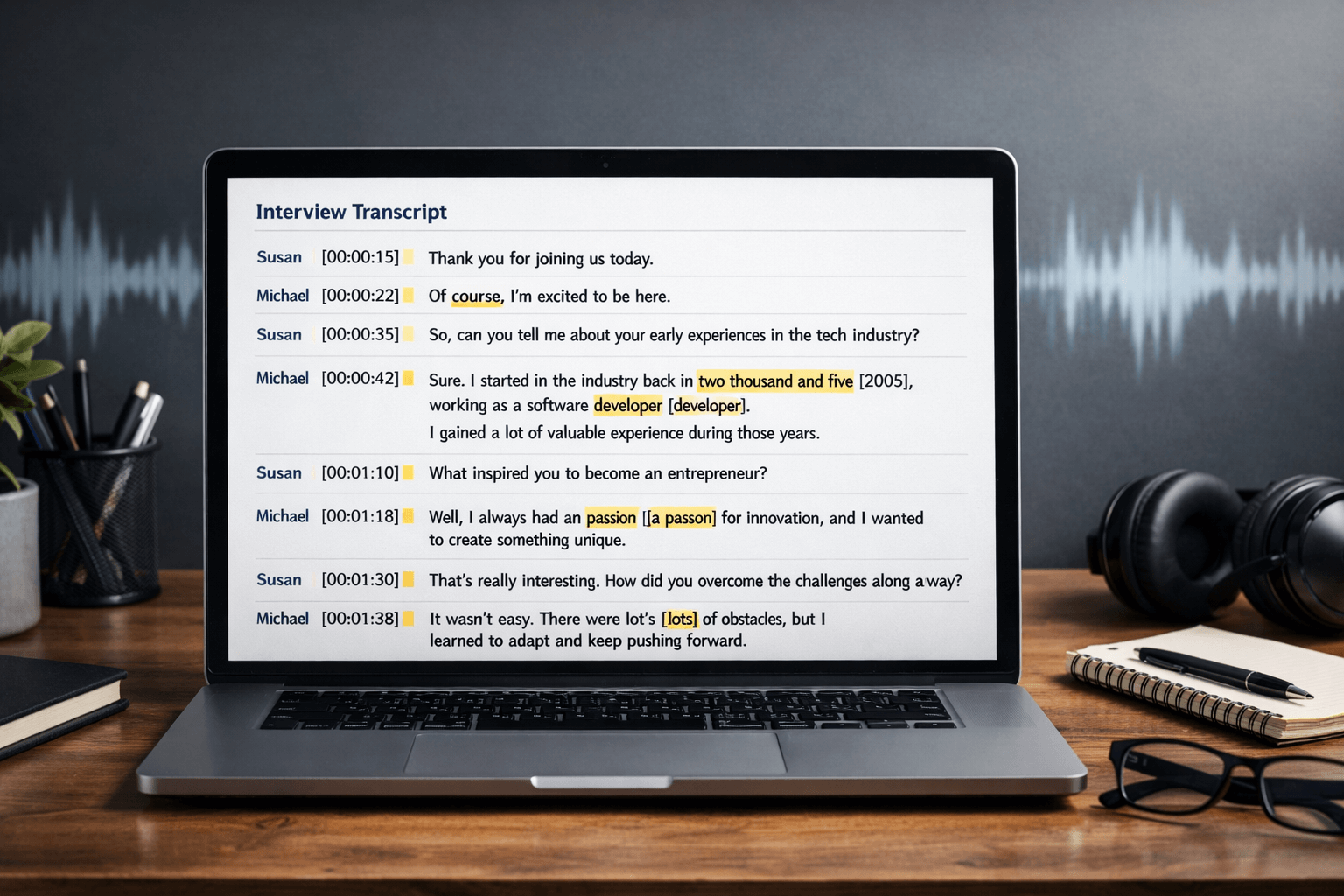
An interview transcript is only useful if it’s trustworthy (accurate to the recording) and usable (easy to read, quote, code, or publish). The problem is that raw transcripts—especially auto-generated ones—often contain misheard words, missing punctuation, messy speaker turns, and confusing timecodes.
This guide shows you exactly how to edit an interview transcript without changing meaning, using a practical workflow you can repeat for research, podcasts, HR interviews, documentaries, market research, or legal work.
If you want a transcript that’s ready to share, publish, or analyse—without spending hours correcting it—UK Certified Translation can deliver edited (clean) transcripts, verbatim transcripts, and time-stamped formats with a secure, confidential workflow. Start here: Transcription services.
What “editing a transcript” actually means (and what it doesn’t)
Editing a transcript is not “rewriting.” Done properly, it’s a controlled clean-up that keeps the speaker’s meaning intact.
Editing a transcript includes:
- Fixing misheard words and names
- Adding punctuation and paragraph breaks
- Standardising speaker labels (and correcting speaker swaps)
- Improving readability without changing meaning
- Adding consistent timestamps (if required)
- Marking unclear audio in a transparent way
Editing a transcript does not include:
- Paraphrasing answers
- “Improving” someone’s opinion or tone
- Removing important hesitations that change meaning
- Editing quotes so they no longer match the recording
Golden rule: If you can’t confidently hear it, don’t guess—mark it (examples below).
Choose the transcript style first (this decision prevents 80% of editing mistakes)
Before you start, decide which transcript type you’re producing. Your rules for filler words, false starts, and grammar depend on this.
Verbatim (word-for-word)
Best for: legal, disciplinary, compliance, sensitive disputes, detailed analysis of speech patterns
Keeps: filler words, repeated words, false starts, stutters (as required by your brief)
Clean verbatim / Edited transcript (most common)
Best for: interviews for articles, reports, podcasts, content marketing, internal summaries
Removes: “um,” “you know,” obvious false starts, repeated words
Keeps: meaning, intent, key phrasing (no paraphrasing)
Intelligent verbatim (light smoothing, still faithful)
Best for: stakeholder interviews, business case studies, long Q&A sessions
Allows: minor grammar smoothing when the intent is unmistakable
Still: no rewriting, no changing meaning
If you’re unsure, default to edited (clean) transcripts—it’s usually the best balance between accuracy and readability.
The 3-pass editing method (fast, accurate, repeatable)

If you only do one thing from this article, use this method. It’s how professionals avoid endless re-reading and missed errors.
Pass 1: Structure first (make it readable)
Goal: Turn raw text into something your eyes can scan.
Do this in order:
- Add speaker labels (Interviewer / Participant, or names/initials)
- Break into short paragraphs (one speaker turn per paragraph; split long turns by topic)
- Add punctuation (commas, full stops, question marks)
- Fix obvious formatting noise (random line breaks, duplicated lines, repeated timestamps)
Tip: If you add timestamps, pick one approach and stick to it:
- Every speaker turn (best for editing)
- Every 30–60 seconds (common for podcasts/video)
- Every question (common for interviews)
- Every topic section (best for reports)
Pass 2: Accuracy check (the “don’t embarrass yourself” pass)
Goal: Correct the content that must be right.
Create a quick “critical terms” list before you start:
- Names (people, companies, places)
- Acronyms (programmes, internal teams, product names)
- Numbers (dates, prices, measurements, stats)
- Proper nouns (tools, laws, institutions)
Then check:
- Misheard words that change meaning (“can” vs “can’t,” “approve” vs “improve”)
- Homophones (“their/there,” “site/cite,” “two/too”)
- Industry terms (medical, legal, finance, technical language)
- Speaker swaps (Speaker A credited with Speaker B’s answer)
If you need a transcript that can stand up to scrutiny, consider professional quality control. You can request a secure transcript quote here: Contact UK Certified Translation.
Pass 3: Polish (make it publish-ready)
Goal: Improve flow without changing meaning.
Apply these “safe edits” consistently:
- Remove filler words only when they add no meaning
- Remove repeated words caused by hesitation (“I… I… I think…” → “I think…”)
- Fix obvious false starts (“We went to— we decided to…” → “We decided to…”)
- Add minimal context cues when essential: (laughs), (pause), (overlapping)
Keep the speaker’s intent intact. If a sentence is messy but meaningful, don’t rewrite it—punctuate it and keep it faithful.
A practical transcript editing checklist (copy/paste)

Use this as your final QA before you call it “done.”
Accuracy
- Names, brands, and places spelled correctly
- Numbers and dates verified against the audio
- No “can/can’t” errors or meaning-flip mistakes
- Unclear audio marked, not guessed
Speakers
- Speaker labels consistent throughout
- No speaker swaps in long sections
- Overlap handled consistently (see below)
Readability
- Paragraphs not too long (aim 1–4 lines where possible)
- Questions clearly marked as questions
- Punctuation supports the meaning
- Filler removal consistent with chosen transcript style
Formatting
- Timestamps consistent (same format, same frequency)
- Nonverbal cues used sparingly and consistently
- File naming and versioning clear (v1, v2, FINAL)
How to mark unclear audio (and look professional doing it)

Never hide uncertainty. Use a consistent notation system.
Recommended notations
- [inaudible 00:12:43] = can’t hear it
- [unclear 00:12:43] = audio is present but indistinct
- [crosstalk] or (overlapping) = multiple people talking
- [redacted] = removed for privacy (keep a secure key separately if needed)
- (laughs), (sighs) = only when it changes meaning or context
Example (before → after)

Before:
Speaker 2: yeah we we we did that in like June um and then the client said it was fine
After (clean transcript):
Speaker 2: Yeah, we did that in June, and then the client said it was fine.
Editing ethics: when “cleaning up” becomes risky
Be extra careful if the transcript will be used in:
- legal disputes
- HR investigations
- clinical/medical records
- compliance reporting
- official complaints
In those cases:
- Use verbatim (or confirm the required standard)
- Keep false starts and significant hesitations if relevant
- Avoid “smoothing” grammar that might alter intent
- Maintain an audit trail (what changed, when, and why)
If confidentiality matters, work in a secure environment, restrict sharing, and avoid pasting sensitive content into tools that store data you don’t control. UK Certified Translation supports a GDPR-conscious workflow and can provide NDAs for sensitive recordings: Transcription services.
How to edit transcript text fast (pro techniques)
1) Build a “names + terms” glossary
Create a mini list at the top of your document:
- correct spellings of names
- acronyms
- technical terms
Then use “Find” to fix repeated mistakes quickly.
2) Use “slow playback + keyboard shortcuts”
Most transcript tools allow slower playback. Slowing to 0.8× often improves accuracy more than repeated replays.
3) Don’t edit in one continuous pass
Do structure → accuracy → polish. Mixing them causes missed errors and inconsistent rules.
4) Stop word-by-word perfection where it doesn’t matter
Aim for high accuracy where it counts (names, numbers, quotes). Don’t spend 20 minutes debating a filler word that changes nothing.
Tool-by-tool: how to edit a transcript in popular platforms

Below are practical steps for the most searched platforms, including the exact workflows people mean when they ask “how to edit transcript” in specific apps.
How to edit transcript in Premiere Pro (and fix the source transcript)
Adobe’s transcript workflow is powerful, but the key is understanding that corrections are best handled as “spelling fixes,” not structural rewrites.
How to edit transcript in Premiere Pro (typical workflow):
- Open the Text panel and generate a transcript for your clip or sequence.
- Export the transcript to a text file.
- Make spelling corrections (names, terms, obvious mishears).
- Import the corrected transcript back into Premiere.
How to edit source transcript in Premiere Pro safely
- Keep your edits to corrections (names, terminology, obvious errors).
- Avoid deleting blocks of text in the exported transcript file—large structural changes can break alignment.
- Use search/replace to fix repeated errors quickly (brand names and technical terms are the big wins).
If your interview is long and you need a publish-ready transcript (not just an edit assist), it’s often faster to export the transcript and do your full readability edit in a document editor—then keep Premiere’s transcript as your navigation/editing layer.
How to edit transcript on YouTube (including automatic captions)
YouTube transcripts are managed through subtitles/captions. The clean workflow is: duplicate the auto captions, then edit.
How to edit transcript in YouTube / how to edit YouTube transcripts:
- Go to YouTube Studio → Subtitles
- Select your video and language track
- If you’re editing automatic captions, duplicate them first so you don’t lose the original
- Edit text line-by-line (spelling, punctuation, names)
- Adjust timing if needed, then publish
Pro caption tips
- Keep lines short (easier to read on screen)
- Fix punctuation—captions without punctuation feel “wrong” even when the words are correct
- If you’re creating a downloadable transcript for a blog, remove timestamp clutter and format it as readable Q&A
How to edit a transcript in Descript
Descript is built for transcript-first editing, which makes it one of the fastest environments for polishing interview text.
How to edit transcript in Descript (fastest approach):
- Use Correct mode to quickly fix misheard words and typos while maintaining alignment.
- Fix names and technical terms early, then do readability edits.
- If alignment looks off, use Descript’s alignment tools before doing heavy cleanup.
Descript is especially useful when you want the transcript and the edit to stay connected—great for podcasts and interview-driven videos.
How to edit Otter transcription (and clean up speakers)
Otter is widely used for meeting and interview drafts, but it often needs cleanup in three areas: names, speakers, and formatting.
How to edit Otter transcription:
- Open the conversation and enter edit mode.
- Correct misheard words directly in the transcript.
- Fix speaker labels:
- retag the correct speaker where needed
- rename speakers so labels are consistent across the file
- Split paragraphs where Otter grouped multiple turns into one block.
Best practice: correct speaker labels early—otherwise you’ll end up fixing quotes under the wrong person later.
How to edit Zoom transcript
Zoom-generated transcripts are useful, but they often need punctuation, speaker clarity, and name corrections.
How to edit Zoom transcript effectively:
- Download the transcript file (commonly VTT or text-based format).
- Edit it in a document editor:
- add speaker labels (Zoom often doesn’t label reliably)
- add paragraph breaks
- correct names and key terms
- standardise timestamps if you’ll cite sections
- Save a “clean transcript” version for sharing, and keep the original as your reference copy.
If the transcript will be used for official purposes (complaints, HR, legal), consider using a verified verbatim transcript instead of relying on auto output.
How to edit transcript in Vimeo
Vimeo workflows typically revolve around caption files (like VTT/SRT). If you’re trying to “edit the transcript” on Vimeo, you’re usually editing the caption/subtitle track that Vimeo displays.
How to edit transcript in Vimeo (common workflow):
- Download or export your captions/subtitles file (VTT/SRT).
- Edit the text carefully (and keep timing syntax intact).
- Re-upload the corrected file so the on-video text matches your final transcript.
Caption-editing rule: keep the timestamp formatting exactly as required by the file type, or the platform may reject it.
A quality benchmark: what “done” looks like
A finished interview transcript should:
- read smoothly without altering meaning
- be easy to quote (clear speaker turns, readable paragraphs)
- be easy to reference (timestamps or clear sectioning)
- be honest about uncertainty (no guessing)
If you’re producing transcripts regularly, a professional partner can save substantial time and reduce risk—especially when confidentiality, speed, or accuracy requirements are high. UK Certified Translation offers verbatim, edited (clean), and time-stamped transcripts, typically delivered within 24–48 hours depending on scope: Transcription services.
FAQ
How do you edit an interview transcript without changing meaning?
Use a clean transcript style, correct errors against the audio, remove only non-essential filler words, and avoid paraphrasing. If unsure, mark unclear audio instead of guessing.
How to edit transcript fast when it’s full of mistakes?
Start with a glossary of names and terms, then use search/replace. Next, do a three-pass workflow: structure → accuracy → polish. Fix speaker labels early to avoid rework.
How to edit transcript on YouTube if it’s auto-generated?
Duplicate the automatic captions in YouTube Studio, then edit the duplicated track. Focus on names, punctuation, and timing so captions read naturally on screen.
How to edit transcript in Premiere Pro without breaking alignment?
Export the transcript, make spelling corrections (names/terms), and import the corrected transcript. Avoid deleting large blocks of text in the exported transcript file.
How to edit Otter transcription and fix wrong speakers?
Edit the conversation text directly, then retag and rename speakers so labels are consistent. Split long paragraphs into separate speaker turns for readability.
How to edit Zoom transcript for a shareable document?
Download the transcript file and edit it in a document editor: add speaker labels, paragraph breaks, punctuation, and consistent timestamps. Keep the original as your reference copy.