


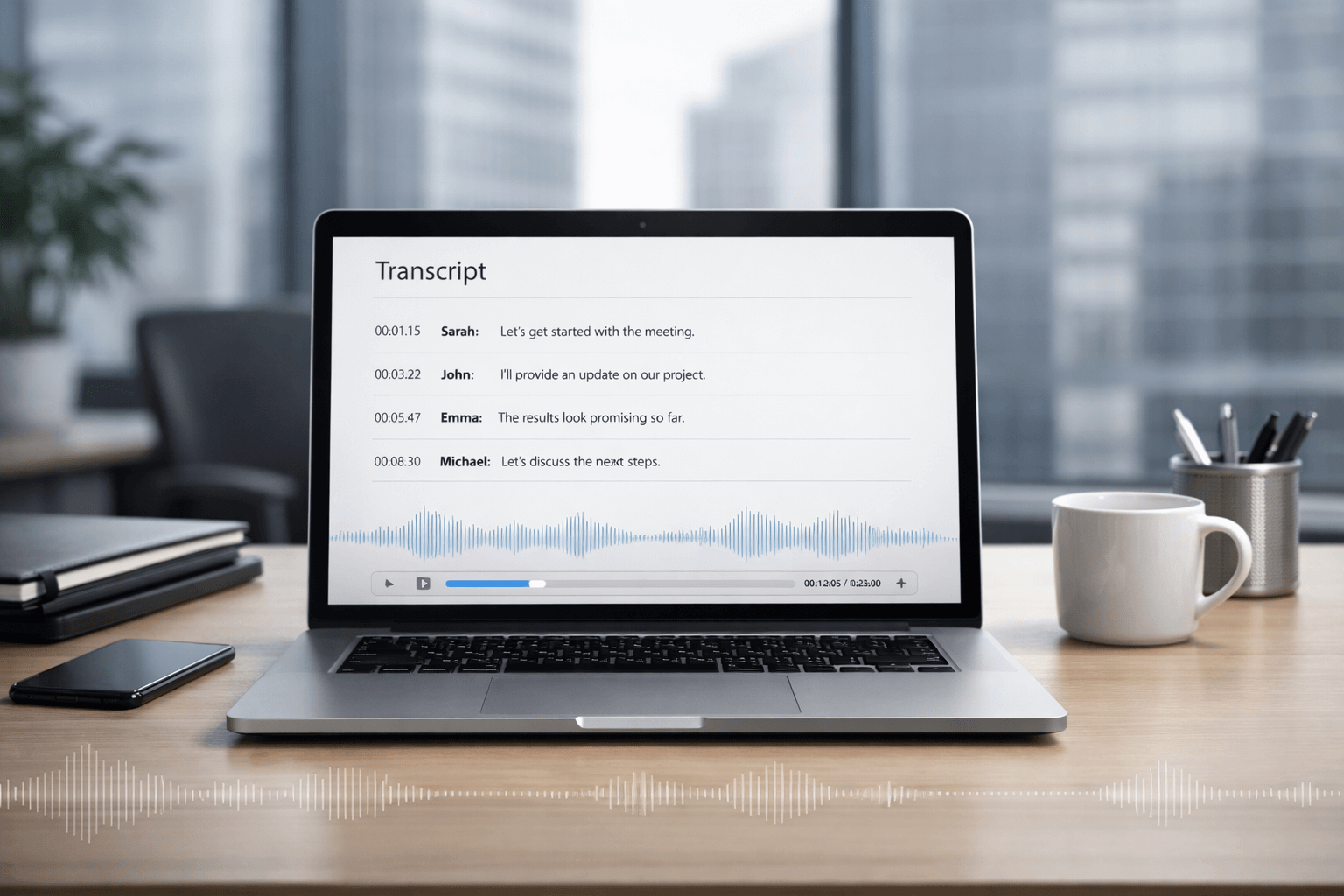
If you’re asking “can ChatGPT transcribe audio?”, the honest answer is: yes—sometimes directly, often with the right workflow, and always with a few important limitations.
In this guide you’ll learn:
- What ChatGPT can (and can’t) transcribe from audio and voice memos
- The fastest way to turn recordings into clean, usable text
- When tools like Gemini, Copilot, Otter, OneNote, Camtasia, and Apple Voice Memos are a better fit
- How to get transcripts that hold up for legal, academic, immigration, and professional use
If you need a transcript that’s formatted, time-stamped, speaker-labelled, and checked for accuracy, you’ll also see when it’s smarter to use a professional service—especially when mistakes are costly.
What “AI transcription” actually means (and why it matters)
Transcription isn’t one thing. Most people want one of these:
- Verbatim transcript: captures every word, including fillers (“um”, “you know”), false starts, and non-verbal cues (laughter, pauses).
- Clean transcript: removes fillers and repeats, keeps meaning and structure.
- Time-stamped transcript: adds timestamps at regular intervals or at speaker changes.
- Speaker-labelled transcript (diarization): identifies who said what.
- Transcript + summary: transcript for records, summary for action.
ChatGPT is best when you want: cleanup, structure, summaries, key points, and rewriting.
Dedicated speech-to-text tools are best when you want: the first raw transcript from an audio file—fast and reliably.
The most accurate workflow combines both.
Can ChatGPT transcribe audio files?
Yes—if you use ChatGPT in a way that captures or accepts audio
ChatGPT can produce transcripts through voice and recording features, depending on your device and plan. For many users, the most practical options are:
- Record-and-transcribe inside ChatGPT (desktop app feature on supported devices)
- Voice conversations that automatically produce a text transcript
- A “transcribe first, then refine in ChatGPT” workflow (often the best option for longer recordings)
The key limitation to know
In many situations, ChatGPT is not a standalone audio-to-text uploader in the way a dedicated transcription tool is. If your goal is “upload MP3 and get a perfect transcript every time,” you may need a transcription tool first, then use ChatGPT to polish.
The fastest, most reliable workflow (works for almost everyone)
Step 1: Choose how you’ll create the first transcript
Pick one:
- Use an AI transcription tool to generate the initial transcript
- Use a device feature (Apple Voice Memos, Teams, Zoom, etc.) to generate a transcript
- Use ChatGPT recording/voice features when available and appropriate
Step 2: Paste the transcript into ChatGPT and use a cleanup prompt
Here are proven prompts you can paste directly:
Prompt: Clean transcript (keep meaning)
Clean up this transcript for readability. Remove filler words, fix punctuation, keep the speaker’s meaning unchanged, and preserve technical terms.
Prompt: Verbatim transcript formatting
Format this as a verbatim transcript with speaker labels, timestamps every 30 seconds, and include non-verbal cues in brackets.
Prompt: Meeting minutes + action items
Turn this transcript into meeting minutes: agenda, decisions, action items (with owners), risks, and next steps.
Prompt: Interview transcript (research-ready)
Create a research-ready interview transcript: keep natural speech, but add punctuation, paragraphing, and consistent speaker names. Add timestamps at topic changes.
Prompt: Subtitle-friendly
Break this into subtitle lines (max 42 characters per line), with timestamps and natural line breaks.
Step 3: Do a quick accuracy pass (this is where most people skip—and regret)
Use this checklist:
- Confirm names, numbers, dates, addresses, and acronyms
- Spot-check 5 minutes per hour of audio (more if it’s noisy)
- Ensure speaker labels are correct
- Verify medical/legal terms carefully
- If it’s official: don’t rely on a single AI pass
When ChatGPT is a great choice (and when it isn’t)
ChatGPT works well for:
- Short voice notes and quick dictation
- Draft transcripts you’ll revise anyway
- Cleaning transcripts and formatting them professionally
- Summaries, key quotes, and action items
- Turning transcripts into reports, emails, or documentation
ChatGPT is not ideal when:
- You need guaranteed word-for-word accuracy with zero checking
- Audio quality is poor (noise, overlap, accents, distance mics)
- You need strict timecoding, speaker diarization, or courtroom-level reliability
- The transcript must be certified, notarised, or used as evidence
If the stakes are high, the right move is often professional transcription with human QA, then optional AI summarisation.
The “AI Transcription Tool Stack” (simple way to pick the right tool)

Think in layers:
- Capture: phone recording, meeting platform, call recording device
- Speech-to-text: transcription engine (fast draft)
- Refinement: cleanup, structure, summaries (ChatGPT excels here)
- Validation: spot checks, terminology verification, speaker review
- Certification (if needed): compliant formatting, accuracy checks, audit trail
If you’re doing legal, immigration, academic, or professional submissions, you usually need layers 4–5—not just a quick draft.
Tool-by-tool answers (the questions people actually search)

Can AI transcribe audio to text?
Yes. Modern speech-to-text tools can transcribe audio to text in minutes. The differences are in:
- accuracy on accents/noise
- speaker separation
- timestamps and formatting
- language support
- privacy controls and export options
Is there an AI that transcribes audio?
Yes—many. The best one depends on your use case:
- Meetings and notes: tools built for meetings
- Video creators: tools with caption/subtitle workflows
- Researchers: tools with timestamps, tagging, and exports
- Official use: professional transcription with QA
Can ChatGPT transcribe voice memos?
Yes—often via voice features or by using a workflow where your voice memo is converted to text first, then cleaned and formatted in ChatGPT.
Can Apple Voice Memos be transcribed?
Yes—on supported devices and versions, Apple can produce a transcript from Voice Memos. It’s convenient for quick notes, but you should still verify names, numbers, and technical terms.
Can Copilot transcribe audio to text?
Copilot is typically most useful inside Microsoft 365 workflows, especially meetings and documents. For pure “upload this audio file and transcribe it,” Copilot may not be the most direct option—but in meeting contexts, Microsoft’s ecosystem can generate transcripts you can then refine.
Can Copilot transcribe an audio file?
Sometimes indirectly—depending on where the audio lives (meeting recording, Stream/SharePoint, Teams, etc.) and what transcription is enabled. In many real-world cases, the workflow is: generate transcript in the Microsoft environment → refine and format elsewhere.
Can OneNote transcribe?
Yes—OneNote has had transcription features (often tied to Microsoft 365). It’s useful for lectures and interviews, especially if you already live in OneNote for notes and organisation.
Can Gemini transcribe audio?
Yes—Gemini can be used for audio understanding and transcription, including producing structured outputs like timestamps and speaker cues depending on the setup. Gemini’s consumer app experience can also support audio file workflows, subject to limits.
Can Grok transcribe audio?
Grok’s capabilities depend on the product and interface you’re using. Some setups focus on voice interactions or developer workflows. If your goal is straightforward “audio file → transcript,” confirm whether your specific Grok environment supports audio uploads and transcription output in the format you need.
Can Otter AI transcribe phone calls?
Otter can transcribe phone call recordings after the call, typically by importing the recording (because direct call recording is restricted on many phones). It’s a strong option for conversations, meetings, and summaries.
Does Otter transcribe other languages?
Otter supports multiple languages, but not “everything.” If multilingual coverage is essential, confirm the exact language list and test with your accent, domain terms, and audio quality.
Can AI transcribe a video?
Yes. Most transcription tools transcribe the audio track from a video. Many also generate captions and export subtitle formats.
Can AI transcribe a YouTube video?
Yes—often in three ways:
- Use YouTube’s built-in transcript/captions (fast, not always perfect)
- Use a transcription tool on the video audio
- Pull the transcript, then use ChatGPT to clean and structure it
Can AI transcribe music?
Generally, speech-to-text tools are built for spoken words, not lyrics. Some can approximate lyrics, but results are inconsistent—especially with overlapping instruments and vocals. For lyric-grade accuracy, use specialised tools and always verify.
Can Alexa transcribe conversations?
Alexa can show what it understood (a transcript of your voice commands and interactions). That’s not the same as transcribing an entire room conversation. For real conversation transcription, use a dedicated recorder and transcription tool.
Can Audacity transcribe audio to text?
Audacity is primarily an audio editor. While there are workflows and add-ons people use to connect speech-to-text, it isn’t typically a one-click transcription tool out of the box. If you’re already editing audio in Audacity, a common workflow is: export clean audio → run transcription in a dedicated tool → refine in ChatGPT.
Can Camtasia transcribe audio?
Yes—Camtasia can generate speech-to-text captions and transcripts, making it popular for tutorials and training videos where you also need captions.
Accuracy: why transcripts go wrong (and how to fix it)

Even the best AI will stumble when:
- multiple people talk over each other
- microphones are far away
- there’s background noise (cafés, cars, wind)
- speakers have strong accents or switch languages mid-sentence
- the recording contains names, addresses, codes, or legal/medical terms
Quick fixes that dramatically improve results
- Use a better source (headset mic > phone across the table)
- Export audio as WAV when possible
- Reduce noise before transcribing (basic cleanup helps)
- Provide a glossary of names and terms
- Ask for speaker labels only if the tool supports it well
- Always verify: names, numbers, dates
Privacy, consent, and compliance (don’t skip this)

If you’re recording others—especially in meetings, interviews, or calls—make sure you have appropriate consent and follow local rules.
For sensitive audio (legal, medical, HR, immigration), choose workflows that support:
- secure upload and storage
- limited access
- clear retention controls
- NDAs where appropriate
- confidentiality-by-design
If you’re unsure, treat the audio like personal data: minimise what you share, redact where possible, and keep access tightly controlled.
When you should use certified transcription (not just AI)
AI transcripts are great for speed. But for official, legal, academic, or professional submissions, you often need:
- verified accuracy
- consistent formatting
- timestamps and speaker labels
- confidentiality controls
- a transcript that can be used with confidence
UK Certified Translation provides transcription options such as:
- verbatim, clean, and time-stamped transcripts
- specialist transcription for legal, medical, academic, and media contexts
- multi-stage quality checks and confidentiality practices
- fast turnaround options for urgent deadlines
If your recording affects an application, a case, or a decision, it’s worth getting it done properly. A single mistranscribed name, date, or statement can cause avoidable delays.
Best next step: upload your audio/video for a free quote and specify: verbatim vs clean, timestamps, speaker labels, and deadline.
Mini templates you can copy/paste (link-worthy resources)

1) Transcription brief template (send to any tool or provider)
- File type + length:
- Speakers: (how many, names if known)
- Style: verbatim / clean
- Timestamps: none / every 30s / topic changes
- Speaker labels: yes/no
- Language(s):
- Purpose: meeting notes / research / legal / subtitles
- Deadline:
- Terminology list: names, acronyms, jargon
- Confidentiality: NDA required? yes/no
2) Transcript QC checklist (2 minutes)
- Names correct
- Numbers and dates correct
- Places/addresses correct
- Speaker labels correct
- Missing sections flagged
- Unclear audio marked [inaudible 00:00]
- Final formatting consistent
3) “Turn transcript into outcomes” prompt
Summarise this transcript into: key points, decisions, risks, unresolved questions, and a numbered action list with owners and deadlines.
Frequently asked questions
Can ChatGPT transcribe audio files directly?
Sometimes. ChatGPT transcribe audio through recording and voice features in supported experiences, and it can reliably refine transcripts produced by other tools.
Can ChatGPT transcribe a video?
It can help turn video audio into text if you first generate a transcript (or capture audio in a supported workflow). After that, it’s excellent for cleaning, formatting, and summarising.
Can ChatGPT transcribe YouTube videos?
Yes—usually by using the YouTube transcript/captions first (or generating a transcript with a tool), then cleaning and restructuring the text in ChatGPT.
What’s the best AI transcription tool for meetings?
If you want meeting-first features (speaker labels, summaries, action items), use a meeting-focused transcription tool and then refine outputs in ChatGPT for clarity and formatting.
Does AI transcription work for multiple languages?
Yes, but results vary by tool, language pair, accent, and audio quality. For official purposes, verification is essential—especially for names, dates, and legal terminology.
When should I use professional transcription instead of AI?
When accuracy must be dependable: legal matters, medical content, immigration, academic research, compliance, or anything that could cause delays or disputes if misheard.